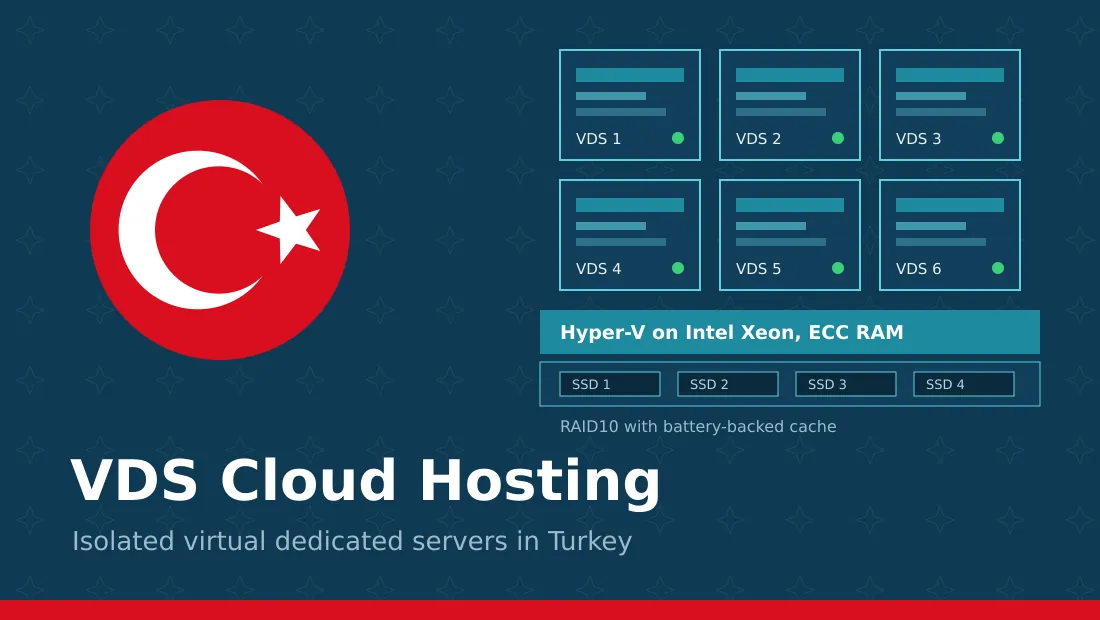
How Hyper-V isolation works
Hyper-V is a type 1 hypervisor, which means it runs directly on the server hardware rather than as an application inside another operating system. Each virtual machine sits in its own partition with dedicated memory and scheduled CPU time, and it talks to storage and networking through optimised drivers. Because the hypervisor layer is thin, there is less overhead and less chance that activity in one partition affects another. That is why we describe our VDS as virtual dedicated: you share the physical box, but your environment behaves like a private server. Hyper-V also handles Windows guests particularly well, with fast boot times and full support for Windows Server features such as Active Directory, IIS and SQL Server. Linux guests run with integration services that keep clocks accurate and make backups consistent. You get root or administrator access and can reinstall the operating system at any time.
Why RAID10 SSD matters for a VDS
Storage is often the slowest part of a server, and when several virtual machines share one host it is also the part most likely to cause contention. Our VDS hosts use at least four enterprise SSDs in hardware RAID10, which stripes data across mirrored pairs. Striping multiplies read and write speed, while mirroring means any single drive can fail without data loss or downtime. A battery-backed cache on the RAID controller lets the server acknowledge writes immediately and flush them safely, even during a power interruption. For your applications, this means quick database queries, fast backups and steady response times when other customers are busy. It also means drive replacements happen behind the scenes without you noticing. RAID protects against hardware failure only, so keep your own scheduled backups for protection against deletion or malware.
ECC memory and long-running stability
Ordinary desktop memory can suffer occasional bit flips caused by electrical noise or cosmic rays. On a laptop that might mean a rare crash; on a server running for months it can silently corrupt a database page or a file in memory. Error-correcting code memory, known as ECC, stores extra check bits with every word of data so the memory controller can detect and fix single-bit errors on the fly and report larger problems before they cause damage. Every VDS plan we sell runs on ECC DDR3 memory for this reason. Combined with server-grade processors and RAID storage, ECC is one of the quiet details that let a virtual server stay online for long periods without unexplained crashes. If you run financial records, customer data or long simulations, it is a feature worth having, and it costs you nothing extra on our VDS range.
Control panels and tools for your VDS
You can run a VDS bare and manage it over SSH or Remote Desktop, or add a control panel to make day-to-day work easier. cPanel and WHM remain the most familiar choice for hosting websites and email on Linux, with tools for DNS, databases, backups and free SSL certificates. DirectAdmin offers similar features with a lighter footprint and lower licence costs. Plesk Obsidian works on both Linux and Windows and is popular with agencies that manage WordPress and .NET sites together. Panel licences can be added to your monthly invoice, or you can bring your own. For containers and modern deployments, many customers install Docker with a tool such as Portainer or Coolify instead. Whatever you choose, our team can install it for you on request so the server is ready when you log in for the first time.
Moving an existing site to a Turkish VDS
Moving a live website feels risky, but a planned migration takes only a few steps. First, lower the TTL on your DNS records a day in advance so the change spreads quickly. Copy files and databases to the new VDS, either with your panel's transfer tool or with rsync and a database dump. Test the site on the new server by editing your local hosts file, so you can check pages, forms and checkout before visitors arrive. When everything works, update the DNS records to the new IP and request a fresh SSL certificate. Keep the old server running for a few days to catch any late email or traffic, then cancel it. If you would rather not do this yourself, our team handles migrations from cPanel, Plesk and most other hosts for a small one-off fee.